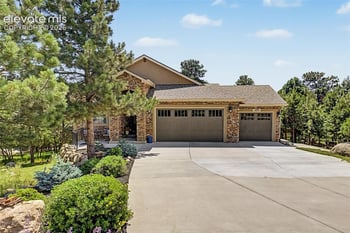
$989,900
Active
4
Beds
3
Baths
3439
Sqft
0.4596
Acres
429 Stone Cottage Grv, Colorado Springs, CO 80906
MLS#: 1848904
.jpg)


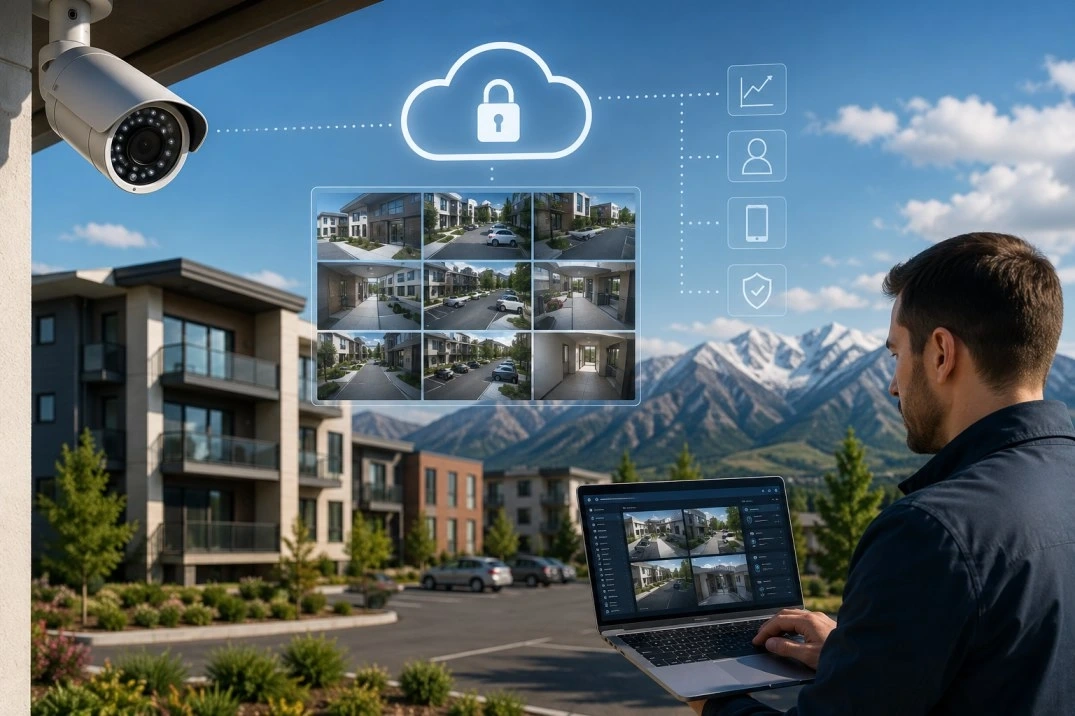
A Colorado landlord who still relies on an on-site NVR box loses the recording the moment that box is stolen, flooded or knocked out by a power surge during a Front Range hailstorm. Cloud video surveillance moves the footage off-site in real time, so it survives the exact events — theft, storm damage, a power outage — that destroy local hardware.
The shift matters most for anyone managing more than one property, since a local recorder at each address means a separate login, a separate network and a separate point of failure for every site. A cloud system consolidates all of that into one dashboard and, just as important, keeps the evidence intact even when the building it was recording gets hit by the storm, break-in or outage that the footage was supposed to document.
A traditional Network Video Recorder stores footage on a physical hard drive at the property, in a utility closet or management office. Cloud video surveillance encrypts and uploads footage to a remote data center as it records, so a manager views live and recorded video from a phone or browser instead of logging into a device at each address.
For a landlord running one Denver duplex, an NVR is manageable. For a landlord with units across Aurora, Lakewood and Colorado Springs, each NVR is a separate, unconnected system requiring its own local network access, which turns a portfolio review into a series of site visits instead of one dashboard.
Front Range hail season runs from spring through September, and severe storms knock out power and damage exterior equipment across the Denver metro most years. An NVR box sitting in the same building as the cameras it records is also the first thing a break-in targets, and storm-related power loss can corrupt local recordings right when a landlord needs them for an insurance claim. Cloud storage keeps the footage on a remote server that a local storm or theft cannot reach.
Many Front Range HOAs regulate exterior modifications, including where a camera can mount and whether it points at a shared walkway or a neighbor's unit. A landlord in an HOA community should check the governing documents and, where required, submit an architectural request before installing exterior cameras, since an unapproved installation can trigger a violation notice regardless of how well the system performs.
Colorado allows audio recording when one party to the conversation consents, which covers a landlord recording their own property, but video-only surveillance of shared entries, parking areas and hallways is standard practice and does not require tenant consent the way audio recording inside a private conversation would. A landlord should post visible signage at monitored entrances and avoid pointing any camera into a tenant's private living space.
No. Once a unit is leased, the tenant's right to quiet enjoyment covers the interior of that unit, and a camera inside leased living space without the tenant's agreement is not standard practice for a compliant rental operation. Cameras belong at exterior entries, parking areas, mailrooms and other shared spaces, not inside the leased unit itself.
A cloud camera system runs an upfront hardware cost per camera plus a monthly subscription per device for cloud storage and AI monitoring. Platforms that connect to a landlord's existing RTSP-enabled cameras, rather than requiring proprietary hardware, cut the upfront cost by reusing equipment already installed at a property. Checking pricing against the number of cameras and the storage retention period a landlord needs is the first step before committing to a platform.
Time-stamped, tamper-resistant cloud footage gives a landlord's insurer a clear record for a slip-and-fall claim, a break-in or storm damage, without relying on a local hard drive that a break-in or storm just as easily destroys. That audit trail also supports a landlord's position in a security-deposit dispute over property condition at move-out.
The comparison below covers the main differences a landlord weighing the switch from local hardware to a cloud platform should know before signing a contract.
| Factor | On-site NVR | Cloud video |
|---|---|---|
| Footage survives theft of the recorder | No | Yes |
| Footage survives a power outage during a storm | Frequently lost | Uploaded before the outage hits |
| Access across multiple Colorado properties | Separate login per site | Single dashboard |
| Upfront cost | Hardware only, one time | Hardware plus monthly subscription |
| AI alert filtering | Rarely included | Standard on most platforms |
Legacy systems generate alerts for a tree branch moving in Front Range wind or a stray cat crossing a parking lot, which trains a manager to ignore notifications altogether. Cloud platforms with object detection distinguish a person or vehicle from background motion, so a landlord managing units in several cities gets a push notification only when it matters, instead of scrolling hours of empty footage after an incident.
A Front Range landlord juggling properties in Denver, Aurora and Colorado Springs cannot drive to every site to check a lock or review footage after a report of an incident. A single cloud dashboard shows live and recorded video across every address at once, so the manager reviews what happened at 2 a.m. at a Colorado Springs property from a Denver office without a site visit. That single-pane view matters more as a portfolio grows past two or three properties, since each additional local NVR adds another separate network to maintain.
Colorado's data privacy law requires a business handling personal data, which includes video that can identify a person, to protect that data and to have a process for responding to a breach. A landlord choosing a cloud provider should confirm the platform encrypts footage in transit and at rest and retains it only as long as stated in the provider's policy, rather than storing recordings indefinitely with no retention schedule.
Landlords weighing a security upgrade as part of a larger portfolio plan should also review the Colorado real estate investing guide and the rental property checklist before the next acquisition.
The Kenna Real Estate Group helps Colorado investors evaluate and protect rental property across the Front Range, from the first purchase through ongoing management decisions. Call or text 303-955-4220. A live person answers. Not a robot, not a phone tree. Ready to grow your portfolio? Search every home for sale in Colorado.
Questions about any home in Colorado? Call or text 303-955-4220. A live person answers.
Check the governing documents first; many Front Range HOAs require an architectural request before mounting an exterior camera, even a small doorbell unit.
Time-stamped, encrypted cloud footage is standard supporting documentation for a storm damage, break-in or liability claim, and it survives even if the physical equipment at the property is destroyed.
Platforms that support RTSP-enabled cameras let a landlord connect existing hardware to cloud storage instead of replacing every camera at the property.
No. Interior surveillance of a tenant's leased living space is not standard practice; cameras belong at shared entries, parking areas and common spaces.
Cloud systems transmit footage in real time or near real time, so recordings from moments before a power loss or theft are already stored off-site.
A single dashboard scales from one Denver duplex to a multi-city portfolio, since each additional camera or address adds to the same account rather than a separate local system.