
$574,000
Pending
4
Beds
3
Baths
2249
Sqft
0.09
Acres
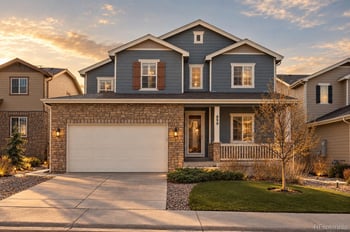
2450 Garganey Dr, Castle Rock, CO 80104
MLS#: REC8829275
Castle Rock greystone towns, updated daily: zero active listings today. Castle Rock homes for sale shows what is on the market now, and this Castle Rock page updates the day a match lists. The listings run from Crystal Valley Ranch and Founders Village out to Castlewood Ranch. Call or text 303-955-4220. A live person answers.


Use the listing property type and HOA documents to confirm each home. Some communities use a townhome label, while nearby listings may include condos, paired homes, or detached homes.
Compare Greystone Towns listings should be compared by attached-home layout, garage, stairs, HOA maintenance, and parking. End units, interior units, garage placement, stairs, private outdoor space, and driveway length can change how a townhome lives.
Review whether the HOA handles roof, siding, exterior paint, landscaping, snow removal, trash, or common areas. The answer affects both monthly cost and future repair exposure.
Buyer route checks should include Founders Parkway, Meadows Parkway, Plum Creek Parkway, I-25, downtown Castle Rock, and Douglas County records. Also look at guest parking and turn-in access, because attached-home communities can feel different at peak travel times.
Yes. Townhome documents may limit rentals, pets, trailers, commercial vehicles, short-term use, or guest parking, so check current rules before making assumptions.
Do not assume one school assignment for every Greystone Towns listing. Check the exact address with the district tool and compare it with the listing remarks, because boundaries can change across nearby roads.
Look closely at condo or townhome declarations, roof and exterior maintenance, snow removal, pet and rental rules, reserves, and financing eligibility. Shared roofs, party walls, drainage between buildings, and exterior maintenance records deserve extra attention in attached-home purchases.
Garage type, end-unit position, HOA coverage, outdoor space, floor plan, and condition can create big differences. Compare the documents and disclosures, not just bedroom count and photos.