New - Just Now

.jpg)


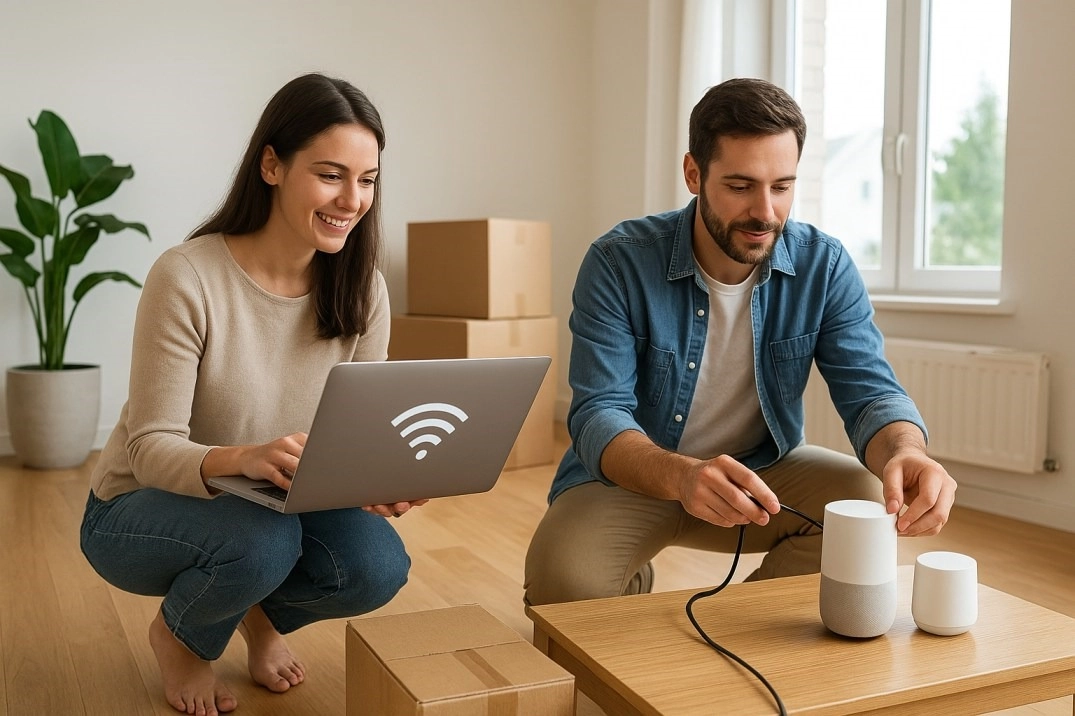
The tech side of a move gets pushed behind boxes and furniture, but internet, smart devices, and a working home office make a new house function from day one. Front Range buyers who handle it before move-in day spend the first week unpacking instead of waiting on hold with a provider.
Xfinity, Quantum Fiber (formerly CenturyLink), and T-Mobile Home Internet cover most of the Denver metro, with fiber build-out expanding in Denver, Aurora, and the south suburbs. Coverage varies block by block in newer developments, so run an address-specific availability check rather than assuming your old provider serves the new address. Compare current fiber internet availability for your address before assuming your old plan transfers — you are free to use any provider that serves your new address.
Call as soon as you have a closing date, not move-in week. New-construction neighborhoods and popular Front Range suburbs can run installers two to three weeks out during peak moving season in summer. Ask for the earliest self-install kit option if a technician visit is not available in your window.
Up to 500 Mbps covers light streaming and browsing for one or two people. Around 1 Gig fits a household working from home with smart devices running in the background. 2 Gig or higher makes sense for a larger household, a gamer, or anyone uploading large files for work.
Get the internet live first, then work through devices in order of daily use: thermostat, locks, doorbell, then lights and outlets. Reset every device to factory settings before pairing it with your own network — a previous owner's smart lock or garage opener can retain their app access if it is not fully reset.
Yes, if it is a recognized brand and the seller left the manual or app credentials transferred at closing. A smart thermostat earns its cost fastest in Colorado's shoulder seasons, when a programmable schedule cuts down on heating a house that is empty during the workday.
Run a full cloud backup of your devices before moving day, separate from whatever you are carrying by hand. Movers occasionally damage electronics in transit, and a fresh backup means a lost laptop costs you a replacement, not your files.
Pick the room with the strongest Wi-Fi signal or run a wired ethernet drop if the home has structured wiring, since a hardwired connection outperforms Wi-Fi for video calls every time. South- and west-facing rooms get strong afternoon sun at altitude; a desk facing a window in one of those rooms can wash out a video call without a light behind the monitor.
Many new-construction communities across the metro now include a smart hub, video doorbell, or pre-wired security panel as a standard builder feature. Ask your builder rep for the spec sheet before closing so you know what is already installed versus what you will add yourself. The new construction homes by area guide lists which communities include smart-home packages.
Colorado's low humidity generates more static electricity than most buyers are used to, which can occasionally interrupt a sensitive smart device during setup. A humidifier in the main living area during winter cuts down on static discharges near electronics and keeps wood floors and trim from drying out.
Confirm the doorbell transfers cleanly to a new account, since some brands lock a device to the original owner's login. If it will not transfer, factory reset it and re-register under your own account before your first day in the house so you are not locked out of your own front door camera.
Finished and unfinished basements are common across the Front Range, and concrete foundation walls block a router signal fast. A mesh Wi-Fi system with a dedicated basement node solves this cheaper than running new ethernet, unless you are already opening walls for a remodel.
Schedule the internet install, order a mesh router if needed, and back up your data before the truck arrives. Anything that requires a technician appointment should be booked the moment you have a closing date, since same-week appointments are rarely available.
Update your address with your bank, insurance provider, and the Colorado DMV within 30 days of closing. Streaming services, subscription boxes, and online retailers matter less for legal reasons but prevent packages from routing to your old address.
Look for weatherproof-rated exterior cameras that handle both summer heat and winter cold without a performance drop, since a camera rated for indoor use only will fail outdoors on the Front Range within a season.
Yes, especially near the water heater and any washing machine hookup. A sensor that alerts your phone the moment it detects moisture catches a slow leak before it becomes a flooring claim, and it is one of the cheapest smart-home additions available.
Return leased equipment to your old provider before the final bill closes out, since most providers charge an unreturned-equipment fee that shows up weeks after the move. If you owned your router outright, factory reset it before selling or reusing it, since saved Wi-Fi credentials and any connected device history stay stored on the device until it is wiped.
Ask at closing whether the system transfers to you or reverts to the seller's account, since some monitored security systems require a new service agreement under your name before the panel will arm. If the system is not transferring, get the installer or brand's support line involved before your first night in the home rather than after.
Internet first, since nearly every other smart device depends on it. Then the router placement — centrally located and off the floor works better than tucked in a closet, especially in a home with a finished basement. From there, work through thermostat, locks, and doorbell before moving on to lights, outlets, and any entertainment system setup, since those are the least time-sensitive.
The Kenna Group points buyers to builder tech packages and utility timelines before closing so a new Colorado home works on day one. Call or text 303-955-4220. A live person answers. Not a robot, not a phone tree. Search every home for sale in Colorado.
Questions about any home in Colorado? Call or text 303-955-4220. A live person answers.
Xfinity, Quantum Fiber, and T-Mobile Home Internet cover most of the metro, with fiber expanding in Denver, Aurora, and the south suburbs. Run an address-specific check since coverage varies by block.
As soon as you have a closing date. Peak summer moving season can push installer appointments two to three weeks out in popular Front Range suburbs.
Yes. Colorado's shoulder seasons create wide daily temperature swings, and a programmable schedule cuts heating and cooling costs for a home that sits empty during the workday.
Low humidity generates more static electricity, which can occasionally interrupt sensitive electronics during setup. A humidifier in winter reduces static discharges near devices and protects wood floors.
A mesh Wi-Fi system with a basement node solves signal loss from concrete foundation walls without the cost of running new ethernet.
Many new communities across the metro now include a smart hub, video doorbell, or security panel as a standard builder feature. Ask for the spec sheet before closing.
Yes, run a full cloud backup separate from anything carried by hand. Movers occasionally damage electronics in transit, and a backup limits the loss to the device, not your files.