New - 3 Days Ago

The grid below lists every match live from the MLS, and the market stats under it show today's median price and price per square foot. ZIP 80204 carries the most Denver multi-family homes (15). Call or text 303-955-4220. A live person answers.


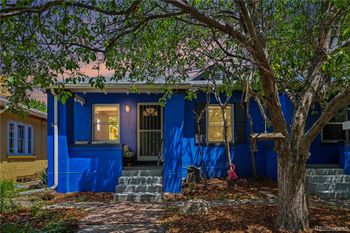


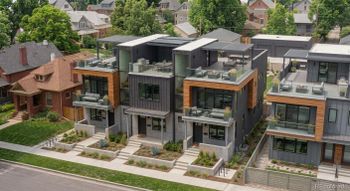


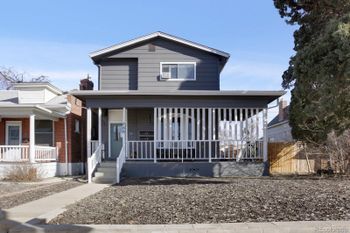

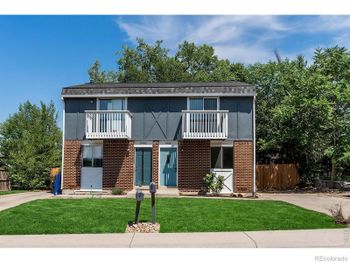
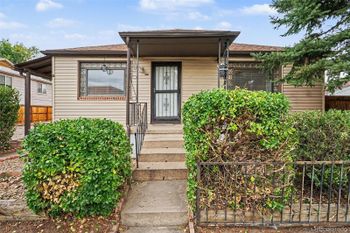

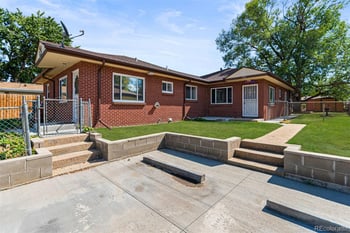

House hacking with 3.5 percent down. FHA lets you buy a 2 to 4 unit property in Denver as an owner-occupant with 3.5 percent down and count 75 percent of the rents toward qualifying. VA does it with zero down. Conventional owner-occupied duplexes go at 5 percent.
The numbers. Rents, vacancy, taxes, insurance, water, maintenance and management. We build the sheet from the seller's leases and the actual bills, not the listing's pro forma.
Leases and tenants transfer. You buy the leases in place. Colorado's landlord-tenant rules, security deposits and notice periods apply from day one.
Separate systems. Separate meters, furnaces and water heaters make a building easier to run and worth more. Shared systems mean you pay the utilities.
It depends on the unit size and the block. Your Kenna agent pulls the current rents from the seller's leases and the market rents from the comps before you write.
The grid at the top of this page is the live MLS list: it updates the moment a home lists or closes, and the market stats under it show today's median price.
Sizes vary from home to home. Use the grid filters for square footage and bedrooms; the market stats under the grid show today's price per square foot.
It depends on the price, your down payment and today's rate. Put the price of the home you like into the Colorado mortgage calculator at kennarealestate.com/colorado-mortgage-calculator for the full monthly cost. More: Can I afford a home now?.
The market stats under the grid show today's median list price and price per square foot, and they update with every new listing. More: Can I afford a home now?.
The price per square foot against the other listings on this page (the market stats under the grid show today's median), the days on market, the HOA or metro district if there is one, the sewer line and roof age on older homes, and whether the seller pays a closing-cost credit or a rate buydown. More: Seller concessions for Colorado buyers.
It changes as homes list and sell. Switch the grid to map view to see where today's listings cluster, or open the ZIP code pages linked on this page for each ZIP's live count.
Yes, as an owner-occupant with 3.5 percent down, up to the four-unit FHA limit for the county. The property has to pass the FHA self-sufficiency test on 3 and 4 units. More: Denver income properties for sale.
Not for a duplex you live in. For 3 or more units or an out-of-town owner, a Denver manager runs 8 to 10 percent of rents and earns it.
Text DENVER and what you are looking for to 303-955-4220. A live person answers, sets up the saved search and sends the disclosures on any multi-family homes you want to see.
The multi-family homes for sale in Denver above are every MLS listing in the multi-family category: duplexes, triplexes, fourplexes and small apartment buildings, plus houses with a legal second unit. Buyers searching Denver multi-family homes also search duplexes for sale, income property, investment property, house hacking, 2-4 unit homes, fourplex for sale and apartment buildings for sale, and this page carries all of them. This page shows multi-family homes for sale in Denver, and the count updates the moment a home lists or closes.
The Kenna Real Estate Group has sold Denver homes since 2002 and runs the numbers on every unit before you tour. Call or text 303-955-4220. A live person answers.
Multi-family buyers in Denver buy the rent roll. Current leases, actual expenses and a clean inspection sell a building faster than photos do. A free Smart Pricing Report from the Kenna Real Estate Group prices your home against the closed sales that match it. Call or text 303-955-4220.
Yes, as an owner-occupant with 3.5 percent down, up to the four-unit FHA limit for the county. The property has to pass the FHA self-sufficiency test on 3 and 4 units.
It depends on the unit size and the block. Your Kenna agent pulls the current rents from the seller's leases and the market rents from the comps before you write.
Not for a duplex you live in. For 3 or more units or an out-of-town owner, a Denver manager runs 8 to 10 percent of rents and earns it.
Yes. Call or text 303-955-4220 and a Kenna agent sets the showing with the tenants, 7 days a week.
Kenna Real Estate Group at Keller Williams DTC · 6300 S Syracuse Way, Suite 150, Centennial · Call or text 303-955-4220. A live person answers, 7 days a week.